Best Computer Monitor Backlight LED Strips for 2025
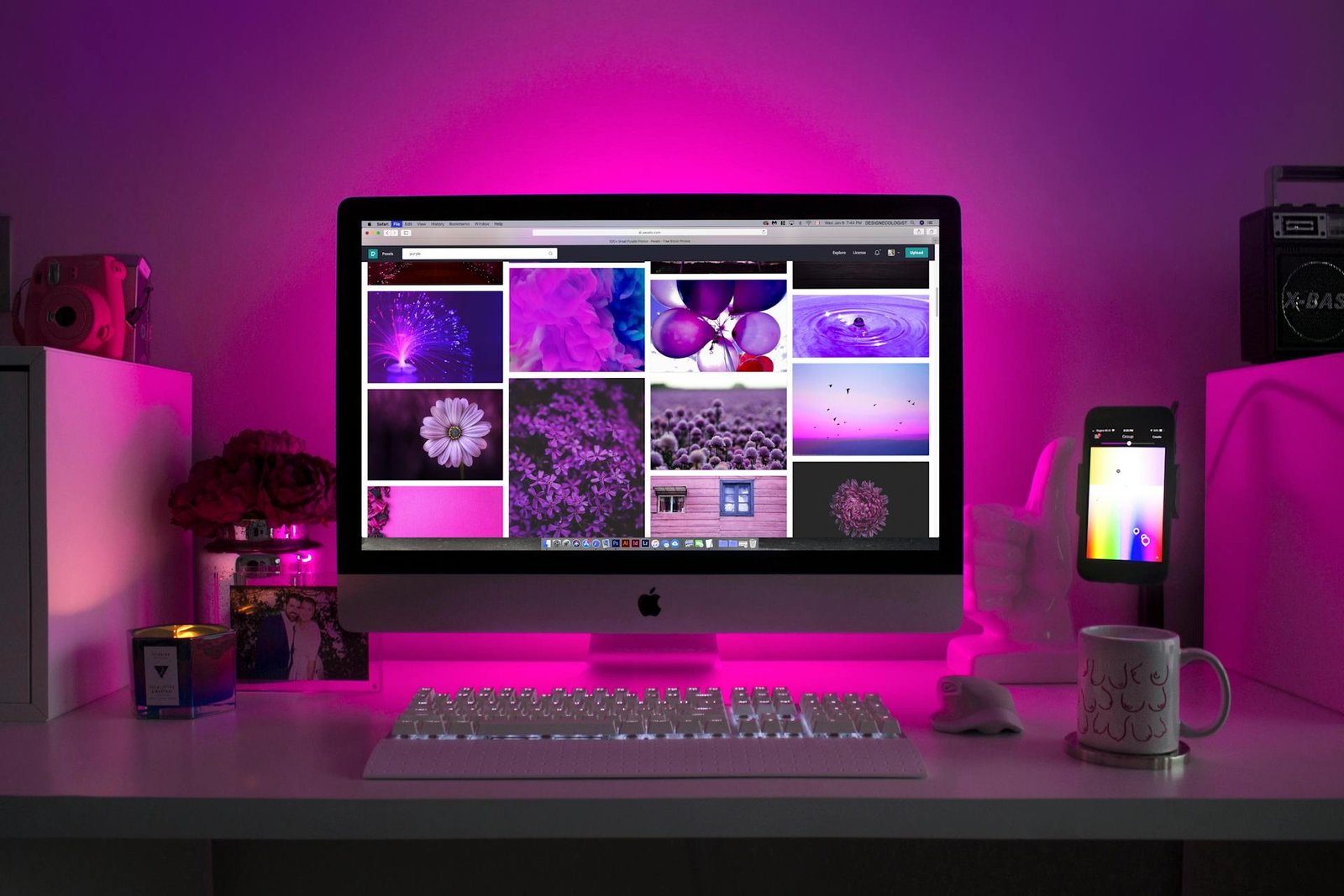
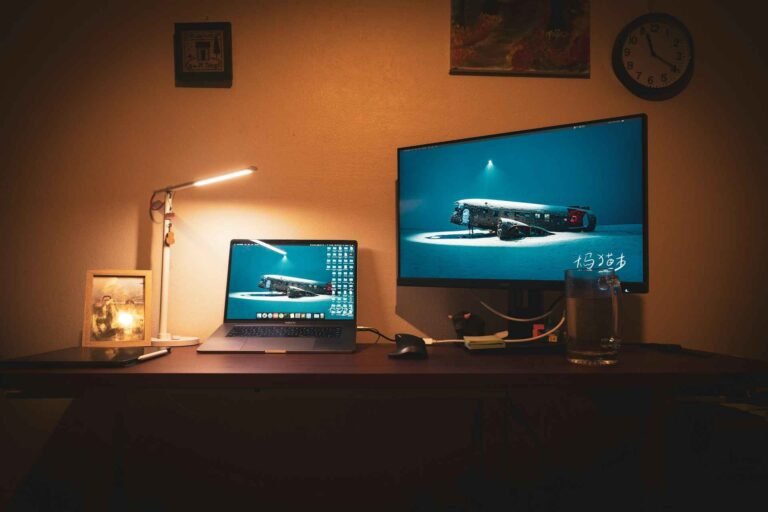
Your computer monitor is the window to your digital world, but what lies beyond that window can be just as important as what’s displayed on screen. A quality computer monitor backlight doesn’t just look cool, it creates an immersive environment that reduces eye strain, enhances your gaming experience, and transforms your workspace into something truly special.
We review three standout LED monitor backlight strips that promise to elevate your setup. From premium smart features to budget-friendly options, these bias lighting solutions offer different approaches to the same goal: making your screen time more comfortable and visually stunning.
Why Monitor Backlight Matters for Your Setup
Before diving into our reviews, let’s explore why bias lighting for monitors has become essential for modern workspaces and gaming rooms. The concept isn’t just about aesthetics, there’s real science behind why monitor back lighting improves your viewing experience.
When you stare at a bright screen in a dark room, your pupils constantly adjust between the bright display and the dark surroundings. This creates eye fatigue over time. A properly implemented LED monitor backlight creates ambient illumination that reduces this contrast, allowing your eyes to maintain a more consistent state.
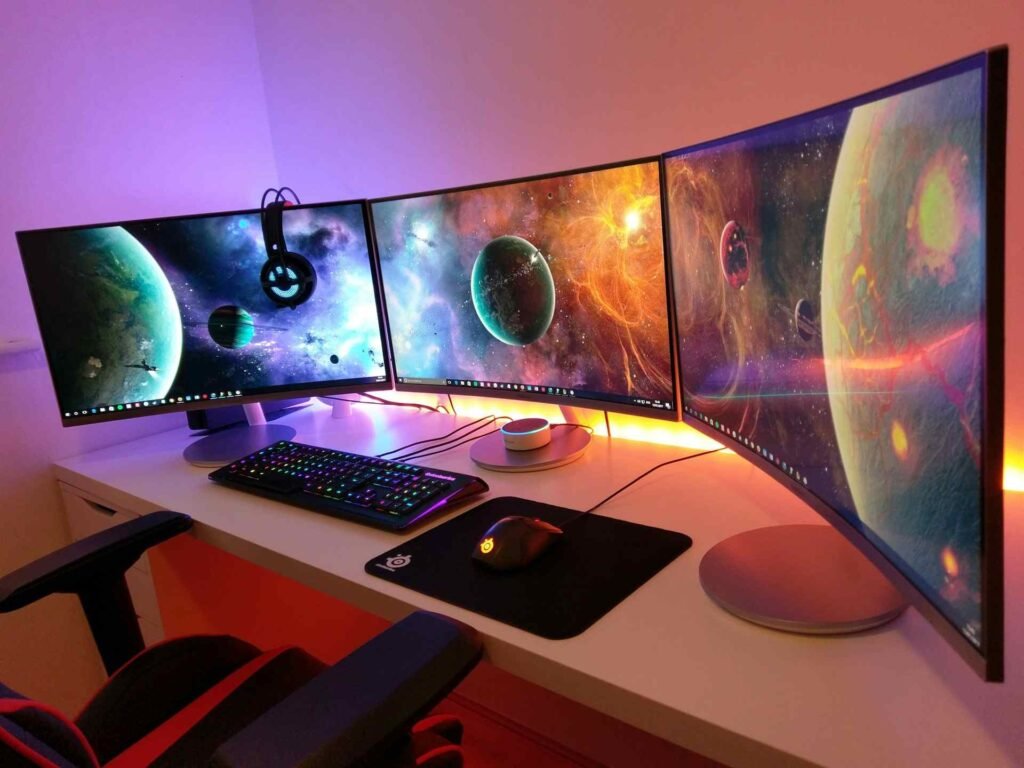
Beyond comfort, bias lighting monitor setups create depth perception that makes content appear more vibrant. Colors seem richer, and the viewing experience becomes more engaging. Gaming enthusiasts particularly benefit from monitor LED backlight strips that sync with on-screen action, creating an extension of the game world beyond the display boundaries.
The technology has evolved significantly from simple static colors. Modern monitor LED backlight systems offer features like music synchronization, app control, and even screen color matching that responds to what’s happening on your display in real time.
Govee Gaming Light for Monitor G1: The Premium Smart Choice
The Govee Gaming Light G1 represents the cutting edge of monitor backlight technology. This isn’t just another LED strip, it’s a comprehensive ambient lighting system designed specifically for gaming enthusiasts and professionals who want the ultimate visual experience.
Key Features
The standout feature is Govee’s VibraMatch technology, which reads pixel data directly from your screen to create synchronized lighting effects. Unlike basic music sync modes, this system actually analyzes what’s happening in games and media, creating lighting that responds to explosions, color changes, and environmental shifts in real time.
The RGBIC technology allows different sections of the strip to display multiple colors simultaneously, creating more sophisticated effects than traditional RGB strips. With 108 individual LED sources packed into the strip, the lighting distribution is remarkably even and bright.
The system includes 123 preset scene modes and integrates with the broader Govee ecosystem, meaning you can sync it with other Govee lights throughout your room. Razer Chroma compatibility extends this further for users with compatible gaming peripherals.
Our Impression
Setting up the G1 proves straightforward, though the desktop software installation adds an extra step compared to simpler alternatives. The color matching works impressively well with supported content, creating an genuinely immersive experience during gaming sessions.
The build quality feels premium, with sturdy adhesive backing and well-constructed control modules. The 360-degree coverage design means the lighting wraps around all four sides of your monitor, creating a complete ambient lighting envelope.
However, the system isn’t without limitations. The color matching feature doesn’t work with all content due to copyright protection on streaming services. Additionally, some users with older or less powerful systems may notice minor performance impacts when running the desktop software alongside resource-intensive games.
Pros and Cons
- Advanced screen color matching technology
- High-quality RGBIC lighting with multiple colors per strip
- Extensive preset modes and customization options
- Razer Chroma integration
- Excellent build quality and bright output
- Works well with curved monitors
- Higher price point than alternatives
- Desktop software can impact system performance
- Color matching doesn’t work with all streaming content
- May be overly complex for users wanting simple ambient lighting
- Slight delay in color matching during rapid scene changes
User Feedback
Customer feedback often highlights the strong brightness and appealing color quality, particularly for entertainment setups such as gaming. Many reviewers also find the installation process relatively simple. On the other hand, some report challenges with app or software connectivity. A few note that performance may vary depending on computer specifications, with older systems sometimes showing reduced responsiveness when advanced features like color matching are enabled.
See customer reviews on Amazon
Our Verdict: ⭐⭐⭐⭐☆ (4.3/5)
The Govee G1 earns its premium positioning through genuine innovation and solid execution. While the price reflects its advanced features, users seeking the most sophisticated monitor backlight experience will find the investment worthwhile.
KANTUTOE TV LED Backlight: The Balanced Option
The KANTUTOE backlight strikes an appealing middle ground between advanced features and accessible pricing. Originally designed for TVs but perfectly suitable for larger monitors, this strip offers solid performance without the complexity of premium alternatives.
Key Features
This system provides over 20 dynamic lighting modes with 16 million color variations, controlled through either the included remote or the “Lofur Lanfern” mobile app. The built-in microphone enables music synchronization, responding to both music and ambient sounds in your environment.
The 9.84-foot length makes it suitable for monitors ranging from 32 to 45 inches, with some overlap for smaller displays. USB power supply means easy connection to any monitor or computer with available USB ports, eliminating the need for separate power adapters.
Installation focuses on simplicity, with stronger foam adhesive and mounting clips designed to work reliably on various monitor back surfaces. The compact receiver can be easily hidden behind your display.
Our Impression
Setup proves refreshingly straightforward compared to more complex systems. The adhesive holds well on clean surfaces, and the USB power connection eliminates cable management headaches. The mobile app connects reliably via Bluetooth, though it lacks the polish of more established applications.
The color reproduction leans toward vibrant rather than accurate, which works well for entertainment but might not suit professional color-critical work. The music sync feature responds enthusiastically to audio, though it picks up all environmental sounds rather than focusing specifically on your computer’s audio output.
While the feature set doesn’t match premium options, the KANTUTOE delivers reliable performance for users who want enhanced ambiance without complexity or high costs.
Pros and Cons
- Excellent value for money
- Simple installation and setup process
- Good color variety and brightness levels
- Reliable Bluetooth connectivity
- Suitable length for most monitor sizes
- No separate power adapter required
- Limited to basic music sync (no screen color matching)
- App interface feels basic compared to premium alternatives
- Colors lean toward oversaturation
- Microphone picks up all environmental sounds
- Build quality feels adequate rather than premium
User Feedback
Reviewers frequently mention that setup is straightforward and that the product offers good value for the price. The wide range of color options is generally appreciated, though some describe the tones as appearing more saturated than natural. Installation receives regular positive notes, with adhesive performance considered reliable in most cases. Experiences with functionality differ: some mention occasional connectivity interruptions or unexpected activations. Brightness levels are typically described as sufficient for average environments, though a minority of users find them less effective in very bright rooms.
See customer reviews on Amazon
Our Verdict: ⭐⭐⭐⭐☆ (3.9/5)
For users seeking reliable ambient lighting without premium pricing or complexity, the KANTUTOE represents smart shopping. It delivers the core benefits of bias lighting with enough features to keep most users satisfied.
MATICOD LED TV Backlight: The Budget-Friendly Foundation
The MATICOD backlight focuses on delivering essential features at an accessible price point. While it lacks the advanced capabilities of pricier alternatives, it provides solid basic functionality for users entering the world of monitor backlighting.
Key Features
The system offers three control methods: Bluetooth app, 21-key remote, and a simple 3-key controller attached to the power cable. The “duoCo Strip” app provides access to over 16 million colors and 21+ dynamic modes, plus timing functions for automated operation.
Music synchronization comes through both app-based control (for music playing from your phone) and environmental audio pickup via the built-in microphone. The 5050 LED model promises brighter output than older LED types while maintaining energy efficiency at just 2.7 watts.
The 9.84-foot length works for monitors from 32-43 inches according to the manufacturer, though it can accommodate smaller displays with some strip overlap. USB power keeps installation simple and compatible with most modern monitors and computers.
Our Impression
Installation matches the simplicity you’d expect from a basic strip light. The adhesive backing works adequately on clean surfaces, though it doesn’t feel as robust as higher-end alternatives. The multiple control options provide flexibility, with the attached 3-key controller offering the most reliable operation.
The app functionality works as advertised, though the interface feels somewhat dated compared to more polished applications. Color accuracy tends toward the vivid side rather than natural reproduction, which suits gaming and entertainment better than professional work.
While the LED output isn’t as bright or evenly distributed as premium options, it provides sufficient illumination for most bias lighting applications. The music sync feature works adequately, though it lacks the sophistication of more advanced systems.
Pros and Cons
- Very affordable entry point
- Multiple control options including physical controller
- Decent color variety and basic effects
- Simple installation process
- Low power consumption
- Includes timing functions
- Build quality feels basic
- App interface lacks polish
- LED distribution less even than premium alternatives
- Colors tend toward oversaturation
- Limited brightness compared to higher-end options
- Music sync functionality is basic
User Feedback
Reviewers often highlight the product’s affordability, noting that it provides solid functionality for the price. Installation is generally described as straightforward, although some mention that the adhesive may not hold as well over longer periods.
Opinions on color output vary: some users enjoy the vibrant lighting effects, while others consider them overly intense. Remote control performance is mixed, many find it convenient, but a few report occasional reliability issues. Several reviewers also appreciate the inclusion of multiple control options, especially the wired controller, which eliminates concerns about misplacing a traditional remote.
See customer reviews on Amazon
Our Verdict: ⭐⭐⭐⭐☆ (3.8/5)
The MATICOD strip serves users who want to experience monitor backlighting without significant investment. While it doesn’t excel in any particular area, it provides functional ambient lighting that improves the viewing experience.
Product Comparison
| Feature | Govee G1 | KANTUTOE | MATICOD |
|---|---|---|---|
| LED Count | 108 | 90 | 54 |
| Length | Fits 27-34″ monitors | 9.84ft (32-45″ TVs) | 9.84ft (32-43″ TVs) |
| Screen Sync | Yes (VibraMatch) | No | No |
| App Control | Govee Home | Lofur Lanfern | duoCo Strip |
| Voice Control | Yes (Alexa compatible) | No | No |
| Razer Chroma | Yes | No | No |
| RGBIC Technology | Yes | No | No |
| Scene Modes | 123 | 20+ | 21+ |
| Music Sync | Yes | Yes | Yes |
| Remote Control | App-based | Physical remote | Physical + app |
Understanding Monitor Backlight Technology
When shopping for a PC monitor backlight, several technical considerations can help you make the best choice for your specific needs and setup.
LED Types and Quality
The type of LEDs used significantly impacts both color quality and longevity. Higher-end strips use individually addressable LEDs (like RGBIC technology) that can display multiple colors simultaneously. This creates more sophisticated effects compared to strips where all LEDs must show the same color.
LED density also matters for even light distribution. More LEDs per foot generally means smoother, more professional-looking illumination without obvious bright spots or color variations.
Power Requirements and Efficiency
Most modern monitor LED backlight strips use USB power for convenience, but power consumption varies significantly. Higher-end strips with more LEDs and advanced features naturally require more power, which could be relevant if your monitor’s USB ports have limited output capacity.
USB powered desk light can provide additional workspace lighting that complements your monitor backlight setup.
Installation and Placement Considerations
Proper placement of your backlight monitor setup affects both performance and longevity. The strip should sit close enough to the monitor edge to create even illumination but far enough to avoid direct visibility of individual LEDs.
Corner placement presents challenges for most strips, as they’re designed for straight runs. Some users prefer to leave gaps at corners rather than forcing tight bends that could damage the strip or create uneven lighting.
Color Temperature and Eye Strain
The relationship between monitor backlighting and eye strain involves more than just reducing contrast. Cool light and warm light affects how comfortable your eyes feel during extended computer sessions.
Many users find that warmer color temperatures (around 3000K) work better for evening use, while cooler temperatures (5000K+) suit daytime work. Advanced strips allow color temperature adjustment, while basic models typically stick to standard RGB color mixing.
Our article on LED lights and headaches explores how improper lighting choices can create discomfort, which applies to monitor backlighting as well as general room illumination.
Smart Integration and Future-Proofing
Modern bias lighting for monitors increasingly integrates with broader smart home ecosystems. This connectivity opens possibilities for automated lighting that adjusts based on time of day, ambient room lighting, or even your computer’s activity status.
Voice control integration, while not essential, adds convenience for users already invested in smart home assistants. The ability to adjust lighting without interrupting your workflow or gaming session has practical value beyond the novelty factor.
Timed table lamps demonstrate how timing functions in lighting can reduce energy consumption and create more automated workspace management.
Troubleshooting Common Issues
Even quality LED monitor backlight can develop problems over time. Understanding common issues helps you maintain optimal performance and identify when replacement might be necessary.
Flickering often indicates power supply problems or loose connections. Our guide on flickering LED lights provides detailed troubleshooting steps that apply to monitor backlighting as well as general LED fixtures.
Color accuracy degradation typically results from individual LED failures or heat-related aging. While some strips allow replacement of individual segments, most require complete replacement when color matching becomes noticeably poor.
Adhesive failure is mechanical rather than electrical, but it can create lighting hot spots or expose the strip to damage. Cleaning the mounting surface before installation and avoiding extreme temperatures helps maximize adhesive longevity.
Advanced Features Worth Considering
Screen color matching represents the current pinnacle of monitor backlighting technology. Systems like the Govee G1’s VibraMatch analyze your display output in real-time, creating ambient lighting that extends your screen’s colors into the surrounding environment.
This technology works particularly well with games that feature dynamic lighting or color-rich environments. However, it requires compatible software and sufficient computer processing power to analyze screen content without affecting performance.
Music synchronization has evolved beyond simple beat detection to more sophisticated audio analysis. Better systems can distinguish between different frequency ranges, creating lighting effects that respond to bass, midrange, and treble independently.
Installation Tips for Best Results
Success with any monitor LED backlight installation starts with proper preparation. Clean mounting surfaces thoroughly with isopropyl alcohol and allow them to dry completely before applying adhesive strips.
Plan your routing before removing adhesive backing. Most strips can’t be repositioned once applied, so measure twice and apply once. Consider how cables will connect to your computer or monitor without creating tension on the strip.
Temperature affects adhesive performance, so avoid installation in very cold or hot conditions. Room temperature application followed by 24 hours before full use gives adhesives time to achieve maximum bond strength.
Frequently Asked Questions
Do monitor backlights really reduce eye strain?
Yes, properly implemented bias lighting reduces the contrast between your bright monitor and dark surroundings. This helps your pupils maintain more consistent dilation, reducing the constant adjustment that causes eye fatigue during extended computer use.
Can I use TV backlights on computer monitors?
Most TV backlights work fine on computer monitors, though you may have excess length for smaller displays. The key considerations are power requirements and mounting compatibility rather than the intended use designation.
How much power do LED monitor backlights use?
Power consumption varies from under 3 watts for basic strips to 18+ watts for advanced systems with many LEDs and smart features. Most computer USB ports can handle strips up to about 10-15 watts without issues.
Will backlighting affect my monitor’s colors?
Quality backlighting shouldn’t affect your monitor’s color accuracy when viewing the screen directly. However, the ambient lighting can influence your perception of colors, similar to how room lighting affects how you perceive printed materials.
Can I cut LED strips to fit my monitor exactly?
Some strips can be cut at designated points, while others cannot be modified. Check the manufacturer’s specifications before purchasing if exact length matching is important for your installation.
Making Your Final Decision
Choosing the right monitor backlight depends on balancing features, performance, and budget considerations. The Govee G1 offers the most advanced technology and best overall experience but requires the highest investment. The KANTUTOE provides solid middle-ground performance with good value, while the MATICOD serves users who want basic functionality at minimal cost.
Consider your primary use case when making your decision. Gamers who want maximum immersion will appreciate the Govee’s screen synchronization features, while casual users might find the KANTUTOE’s simpler approach perfectly adequate. Budget-conscious buyers can start with the MATICOD and upgrade later if they find monitor backlighting valuable.
Remember that any of these options will provide the core eye strain reduction benefits of bias lighting. The premium features are about enhancing the experience rather than delivering fundamentally different functionality. Your workspace will benefit from any of these choices, so don’t let perfect become the enemy of good when making your selection.
Whatever you choose, proper installation and realistic expectations will help you get the most from your new monitor backlight setup. The transformation from harsh screen-in-darkness viewing to comfortable ambient lighting makes any of these strips a worthwhile addition to your workspace.
Looking for more? Check out our desk lighting category for more articles and guides that may interest you!
Featured image credit: Photo by Designecologist on Pexels
This content is for informational purposes only. Please verify current information directly on the retailer’s site before purchasing.