Monitor Wall Mount vs Desk Mount: Which Setup Wins?
So you’ve finally decided to free up some desk space and give your neck a break. Smart move. But now comes the real question: should you bolt that monitor to the wall or clamp it to your desk? It’s one of those decisions that seems simple until you’re standing in your workspace, drill in one hand and mounting arm in the other, second-guessing everything.
You want your setup to look clean, feel ergonomic, and not fall apart the first time you accidentally bump into it. The good news? Both options have their strengths, and picking the right one isn’t about finding the “best” choice, it’s about finding what works for your space, your habits, and yes, even your landlord’s rules.
Let’s break down the wall mount vs desk mount debate in a way that actually helps you decide, without the sales pitch or overcomplicated jargon.
What Makes Wall and Desk Mounts Different?
Before we get into the nitty-gritty, let’s establish what we’re actually comparing here. A wall mount attaches directly to your wall using screws and anchors, holding your monitor at whatever height and angle you choose. Think of it as giving your screen a permanent home on the wall, like a really functional piece of art.
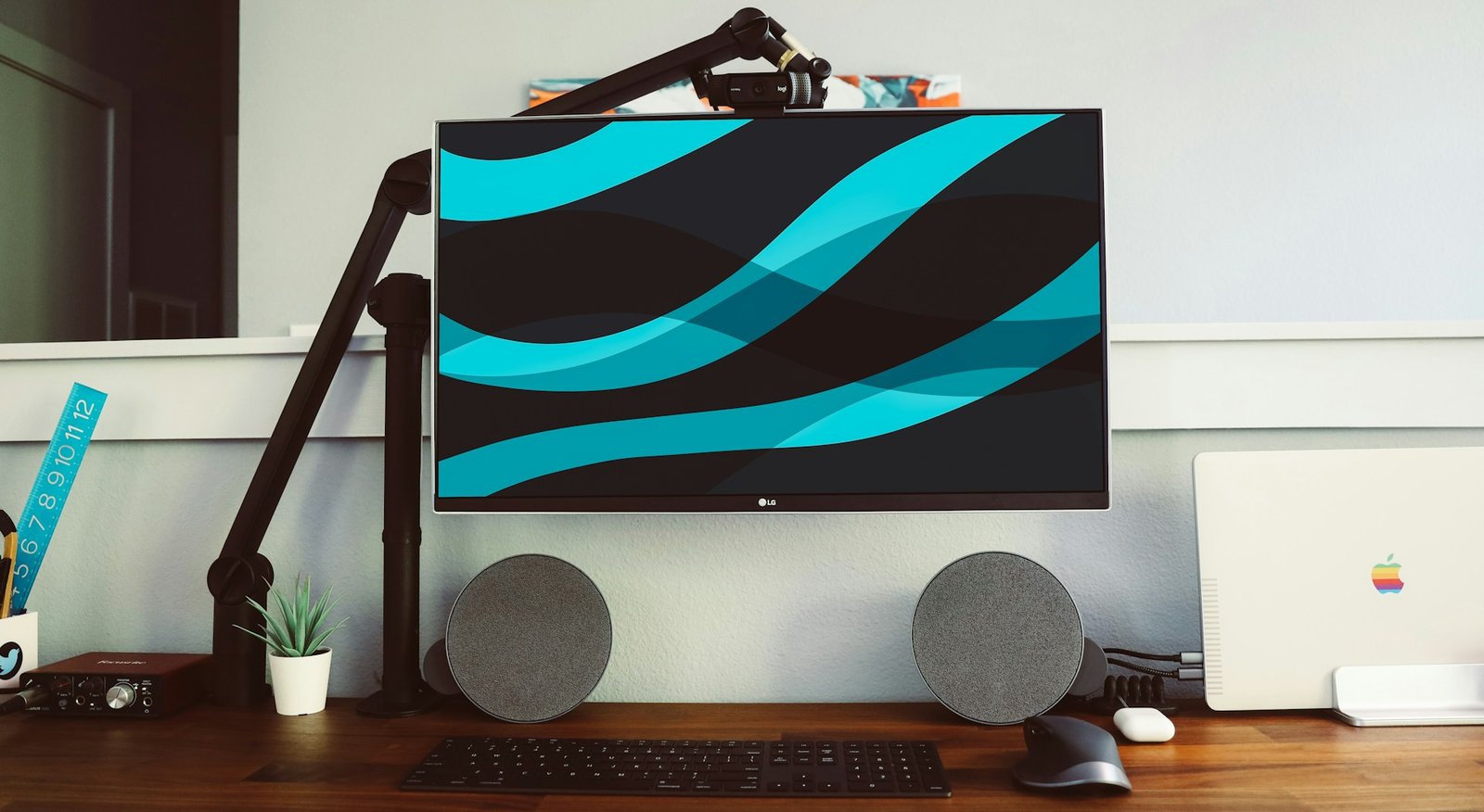
A desk mount, on the other hand, clamps or bolts onto your desk surface, extending upward or outward with an adjustable arm. Your monitor stays connected to the desk, moving when you need it to and staying put when you don’t. It’s like having a robotic assistant that holds your screen exactly where you want it.
The core difference? One becomes part of your room’s architecture, while the other stays married to your furniture. And that single distinction ripples out into everything from installation difficulty to how often you’ll be rearranging your space.
Wall Mounts: The Permanent Upgrade
When Your Wall Becomes the Hero
Wall mounting your monitor is the ultimate commitment move for your workspace. Once it’s up there, you’ve essentially declared, “This is where productivity happens, and it’s not moving anytime soon.” There’s something satisfying about a monitor floating on the wall with nothing beneath it but empty desk space.
The biggest win with a wall mount is the desk real estate you reclaim. Suddenly, you’ve got room for that ergonomic keyboard and mouse setup you’ve been eyeing, or maybe a proper space for your notebook without playing Tetris with your coffee mug. Your desk becomes an actual work surface again instead of a cluttered monitor stand graveyard.
Installation does require a bit more courage, though. You’re drilling holes into your wall, which means measuring twice (or three times, no judgment) and hoping you hit a stud. The payoff is a rock-solid mount that won’t budge, wobble, or give you that mini heart attack when someone walks by a bit too heavily. Plus, wall mounts typically handle heavier monitors with ease since they’re anchored into the wall structure itself.
The Trade-Offs You Should Know
Here’s where wall mounting gets tricky. First, if you’re renting, you might need to have an awkward conversation with your landlord. Some are cool with it, others act like you’ve suggested knocking down a load-bearing wall. Even if you patch and paint when you move out, there’s always that moment of “will I get my deposit back?”
Flexibility takes a hit too. Sure, most wall mounts have tilt and swivel features, but you’re not moving that monitor to a different wall without another round of drilling and patching. If you like to rearrange your space seasonally or you’re still figuring out your ideal setup, a wall mount might feel a bit… final. And let’s not forget the cable situation, getting power and video cables to a wall-mounted monitor often means some creative routing or installing cable management channels, which adds another layer to the project.
One more thing: wall mounts assume your wall can handle the weight. Drywall alone won’t cut it for most monitors. You’ll need to find studs or use heavy-duty anchors, and if your walls are plaster, concrete, or some mystery material from the 1970s, you might be in for a longer afternoon than expected.
Desk Mounts: Flexibility Meets Function
The Adjustable Alternative
If wall mounting feels like too much commitment, desk mounts might be your perfect match. These clever contraptions clamp onto your desk edge or bolt through a grommet hole, giving you all the ergonomic benefits without making your landlord nervous. Think of it as the “try before you buy” approach to monitor positioning.
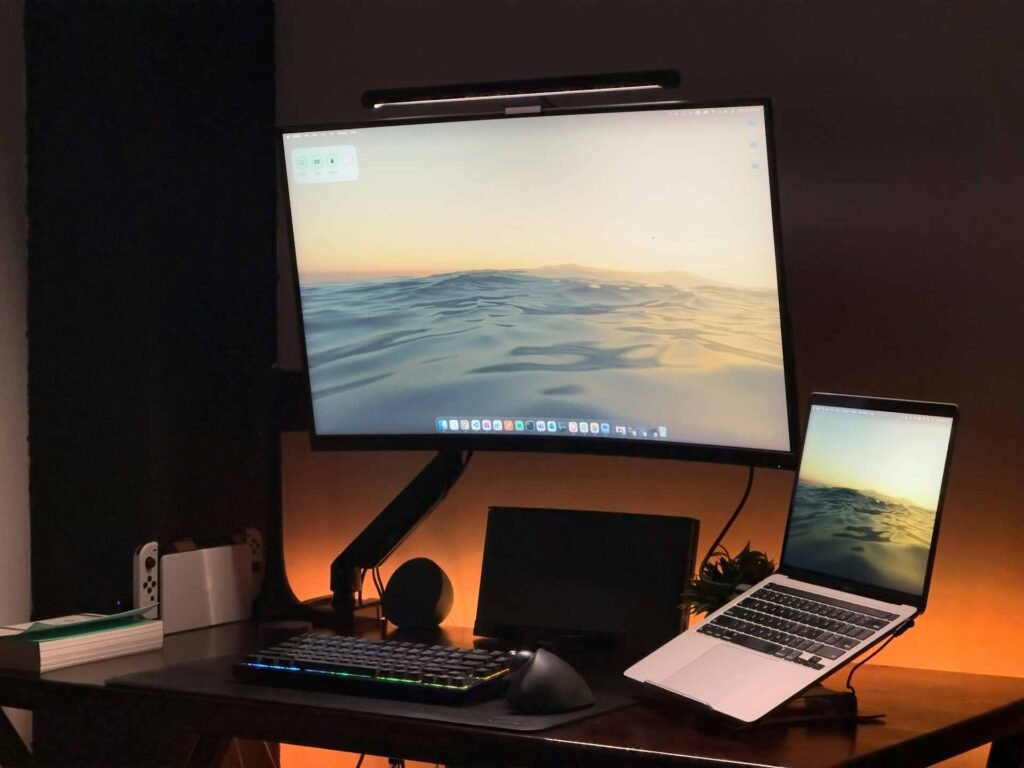
The beauty of a desk mount is how quickly you can adjust things. Need to shift your monitor to avoid that afternoon glare coming through the window? Done in seconds. Want to swing it over for a colleague to see something? Easy. Switching between sitting and using a standing desk setup? A good desk mount arm moves with you, which is pretty great for those of us who can’t sit still for eight hours straight.
Installation is refreshingly straightforward. Most desk mounts use a C-clamp that tightens onto your desk edge, requiring zero drilling and about five minutes of your time. The grommet-style mounts need a hole in your desk, but if you’ve got one already or don’t mind drilling through furniture, you get an even cleaner look with the mount coming up through the desk surface.
Where Desk Mounts Fall Short
Nothing’s perfect, right? Desk mounts claim a chunk of your desk space, even if it’s just the clamp area at the back edge. If you’ve got a shallow desk or you’re working with limited real estate, that clamp might be exactly where you wanted to put your charging station or other gear.
Weight limits can be more restrictive too. While heavy-duty desk mounts exist, they rely on your desk being sturdy enough to handle the leverage. That lightweight IKEA desk from college? Might not love having a 32-inch ultrawide pulling on it all day. And if you’ve got one of those sit-stand desks that’s always moving up and down, adding a monitor arm changes the weight distribution, which can sometimes lead to stability issues.
Cable management is easier than with wall mounts but still requires attention. Most desk mounts have built-in cable channels, but you’ll still have cords running from your desk to your computer, and they can get tangled or create visual clutter if you’re not thoughtful about routing them. It’s not a dealbreaker, but it’s definitely something you’ll notice every time you look at your setup.
The Head-to-Head Comparison
Let’s put these two mounting styles side by side so you can see where each one shines and where it stumbles.
| Feature | Wall Mount | Desk Mount |
|---|---|---|
| Desk Space Freed | Maximum, nothing touching your desk | Moderate, clamp area and base occupied |
| Installation Difficulty | Moderate to hard, requires drilling, finding studs | Easy, clamp or grommet, minimal tools |
| Adjustability | Limited, fixed position | Excellent, full range of motion, easy repositioning |
| Renter-Friendly | Not really, wall damage likely | Very, no wall damage, moves with you |
| Weight Capacity | Generally higher, anchored to wall structure | Moderate, limited by desk strength |
| Cable Management | More complex, cables run to wall | Easier, cables stay near desk area |
| Permanence | High, semi-permanent installation | Low, removable in minutes |
| Stability | Extremely stable once installed | Very stable, but desk-dependent |
| Multi-Monitor Friendly | Requires planning, many dual wall mounts available | Easier, many dual/triple desk arms available |
Which Mount Fits Your Workspace?
Choose a Wall Mount If…
You’ve got a dedicated workspace that isn’t going anywhere. Maybe it’s a home office that you’ve fully committed to, or a corner of your bedroom that’s officially become command central. Wall mounting makes sense when you know exactly where you want to work and you’re confident that setup will serve you for the long haul.
Tiny desks love wall mounts. When every square inch matters and you’re already playing furniture Tetris just to fit a keyboard, mouse, and coffee mug, getting the monitor completely off the desk is transformative. Your workspace suddenly feels twice as large, and you can actually spread out a bit without knocking things over.
It’s also ideal if you’re dealing with a multi-monitor setup where desk space is at a premium. Two or three monitors on wall mounts create that impressive command center look without devouring your entire desk. Just make sure your wall can handle the weight and you’ve got the studs in the right places.
Homeowners have the freedom to modify their space, making wall mounting less of a headache. No deposit to worry about, no explaining to a landlord why there are holes in the wall. You can drill with confidence and even get fancy with cable concealment by running wires through the wall if you’re feeling ambitious.
Choose a Desk Mount If…
Flexibility is your priority. Maybe you haven’t quite figured out your perfect monitor height yet, or you like adjusting your screen position throughout the day. Perhaps you occasionally want to swivel your monitor 90 degrees for reading documents or showing something to someone else. Desk mounts give you the freedom to experiment and adjust until everything feels just right.
Renters should seriously consider desk mounting as the default option. When moving day comes, you can disconnect your mount in about two minutes, pack it up, and reinstall it at your new place just as quickly. No patching, no painting, no stressed-out phone calls about your security deposit. Your furniture might have a tiny clamp mark, but that’s between you and your desk.
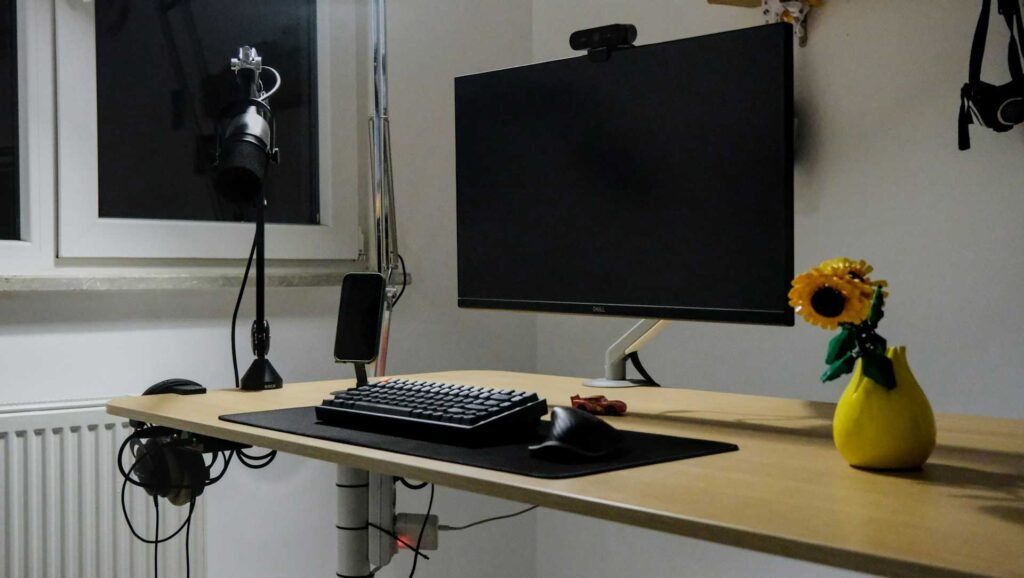
If you’re using a height-adjustable desk, a desk mount moves with you. The monitor stays in the same relative position whether you’re sitting or standing, which is exactly what you want. Desk mounts also work better if your wall situation is complicated. Brick walls, steel studs, plaster and lath, weird spacing between studs, sometimes walls just aren’t cooperative. A desk mount sidesteps all those headaches and gets you up and running immediately.
The Installation Reality Check
Let’s be honest about what you’re signing up for with each option. Wall mounting isn’t rocket science, but it does require some basic DIY confidence. You’ll need a drill, the right drill bits for your wall type, a level (because eyeballing it never works as well as you think), a stud finder, and about an hour of time. Finding studs can be frustrating, especially in older buildings where they’re spaced irregularly or hidden behind layers of old renovations.
The actual mounting process goes something like this: locate studs, mark your desired height, drill pilot holes, attach the mounting plate, check level approximately seventeen times because you’re paranoid, then finally attach the monitor arm and hang your screen. It sounds simple, but there’s a learning curve, and mistakes mean new holes and patching compound.
Desk mounting is genuinely easier. Clamp-style mounts literally clamp onto your desk edge and tighten down with a hex key or built-in mechanism. You position the clamp where you want it, tighten until secure, attach the arm, and mount your monitor. Total time? Maybe ten minutes if you’re being careful about placement. Grommet mounts require drilling a hole through your desk if you don’t have one already, but it’s still furniture you own (hopefully) rather than someone else’s wall.
Ergonomics and Comfort Considerations
Both mounting styles can deliver excellent ergonomics, but they get there differently. The goal with any monitor setup is getting your screen at the right height (top of the screen at or slightly below eye level) and distance (about arm’s length away). Your neck should be neutral, not craning up or looking down for hours on end.
Wall mounts lock you into a position, so getting the height right during installation is crucial. Measure while sitting in your actual chair at your actual desk before drilling anything. Better yet, have someone hold the monitor against the wall at different heights while you sit and see what feels right. Once it’s mounted, you can tilt and maybe swivel, but moving the whole thing up or down means redrilling.
Desk mounts give you the luxury of adjustment. Installed it three inches too high? Just loosen the tension and lower it. Your new chair sits higher than your old one? Adjust. This flexibility is especially valuable if multiple people use the workspace or if you’re still figuring out your ergonomic sweet spot. Most decent desk mounts have enough range to accommodate both sitting and standing positions, though you might need to retighten occasionally.
One thing people forget: the distance between your eyes and screen matters as much as the height. Wall mounting can push your monitor further away from your desk if you’re not careful with placement, which might mean leaning forward to read smaller text. Desk mounts typically keep the monitor closer since the arm extends from your desk, but they can also pull it back further if needed. Think about your vision, your typical font sizes, and how close you like to work.
Common Mistakes to Avoid
Here’s where people typically mess up. With wall mounts, the biggest mistake is not finding studs and just using drywall anchors for everything. Maybe it holds for a while, maybe it doesn’t, but why risk your monitor crashing to the floor? Take the extra time to locate studs or use proper anchors rated for your wall type and monitor weight.
Another wall mounting mistake is not accounting for clearance. Make sure your monitor can tilt and swivel without hitting the wall, nearby furniture, or other obstacles. Measure the depth of your monitor including the mount, and think about how far it extends from the wall when fully extended. You don’t want to install everything perfectly only to discover your monitor hits the window frame when you try to angle it.
For desk mounts, the classic error is overtightening the clamp and damaging your desk. You want it secure, but you don’t need to hulk out on the tightening mechanism. Related mistake: clamping onto a part of the desk that isn’t solid, like an unsupported edge or a thin decorative panel. Feel underneath to make sure there’s substantial material for the clamp to grip.
Not checking weight limits is a universal mistake. Your 34-inch ultrawide weighs more than you think, especially with the mount hardware itself adding pounds. Always check the mount’s maximum weight capacity and compare it to your actual monitor weight. Leave some margin, if your monitor is 25 pounds, don’t use a mount rated for exactly 25 pounds.
FAQ
Can I use a wall mount on drywall without studs?
You can, but it requires heavy-duty drywall anchors rated for the combined weight of your monitor and mount, typically with a significant safety margin. For anything over 15-20 pounds, mounting to studs is much safer. If studs aren’t where you need them, consider a wall plate that spans multiple studs to give you more mounting location flexibility.
Will a desk mount damage my desk?
Most desk mounts won’t damage a solid wood or quality particle board desk if installed correctly. The clamp distributes pressure over a reasonable area, and many come with protective padding. However, on cheap or veneer-surface desks, you might see some compression marks over time. Grommet mounts obviously require drilling a hole, which is permanent, but they don’t put stress on the desk surface itself.
How much weight can a typical monitor arm hold?
Most standard desk mount arms handle 15-27 pounds comfortably, which covers monitors up to about 32 inches. Heavy-duty desk mounts can support 35-40+ pounds for larger ultrawides or multiple monitors. Wall mounts typically have higher weight capacities since they’re anchored into wall structure, often supporting 50+ pounds without issue if properly installed into studs.
Can I adjust a wall mount after installation?
You can adjust tilt, swivel, and sometimes extension on an articulating wall mount, but you can’t easily move it up, down, or to a different wall position without uninstalling and reinstalling. If you think you’ll need to adjust the height or location frequently, a desk mount is the better choice for that flexibility.
What’s the ideal monitor height for ergonomics?
The top of your monitor should be at or slightly below eye level when sitting comfortably, with the screen about an arm’s length away. Your eye line should naturally hit the upper third of the screen so you’re looking slightly downward at your work. This reduces neck strain and eye fatigue over long work sessions. Both wall and desk mounts can achieve this, but desk mounts make it easier to adjust if your initial positioning isn’t quite right.
Do I need special tools to install these mounts?
For desk mounts, you typically only need the included hex key or Allen wrench. Some clamp styles require a screwdriver. Wall mounts need a drill with the appropriate bit for your wall type, a level, a stud finder, a screwdriver, and maybe a wrench. Nothing too specialized, but definitely more than desk mounting requires.
Making Your Choice Stick
Here’s the thing about the wall mount or desk mount decision: there’s no universal right answer. We’ve laid out the trade-offs, the strengths, and the quirks of each approach because your workspace isn’t like anyone else’s. Maybe you’re working with a standing desk in a rental apartment, making desk mounting the obvious choice. Or perhaps you’ve got a dedicated home office with perfect stud placement and a tiny desk, pointing you straight toward wall mounting.
Think about what matters most in your daily work life. Do you value the ability to constantly fine-tune your setup, or do you prefer setting things up once and forgetting about them? Is desk space your most precious resource, or is the flexibility to rearrange more important? Are you drilling-confident, or does the idea of making holes in walls make you anxious?
Both mounting styles accomplish the main goal: getting your monitor off that clunky stand and into an ergonomic position that doesn’t wreck your neck. Whether that mount attaches to your wall or your desk is less important than choosing the option that matches your space, your situation, and your style. Take measurements, consider your constraints, maybe watch a few installation videos to see what you’re getting into, and then commit to one.
Your back and neck will thank you either way. The rest is just details, admittedly important details, but details nonetheless. Now stop overthinking it (we know, we know, easier said than done) and get that monitor where it belongs. Your workspace upgrade is waiting.
Looking for more? Check out our office furniture category for more articles and guides that may interest you!
Featured image credit: Photo by Daniel Romero on Unsplash
This content is for informational purposes only. Please verify current information directly on the retailer’s site before purchasing.