Ideal Humidity in Working Environment: Guide to Comfort and Productivity
Ever walked into your office and felt like you were trudging through a swamp, or conversely, like you’d accidentally wandered into the Sahara Desert? That uncomfortable feeling isn’t just in your head. The humidity levels in your workspace are secretly orchestrating a major performance behind the scenes, affecting everything from your concentration to how often you’re reaching for tissues during cold season.
Most of us obsess over getting the temperature just right, battling over the thermostat like it’s the last piece of pizza at a party. But here’s the plot twist: humidity might be the unsung villain (or hero) of workplace comfort that nobody’s talking about. When the air gets too dry or too muggy, your body goes into protest mode, and your productivity? Well, it packs its bags and heads for the door.
Why Humidity Matters More Than You Think
Let’s get real for a second. Humidity isn’t just some abstract concept that weather forecasters throw around to sound important. It’s the amount of water vapor hanging out in the air around you, and it has a sneaky way of influencing your entire workday without you even realizing it.
When we talk about the ideal humidity for workplace settings, we’re looking at that sweet spot where your body can regulate its temperature efficiently, your sinuses don’t feel like sandpaper, and you’re not constantly wondering if someone left a wet towel somewhere. This balance typically falls between 40% and 60% relative humidity, though the magic number can shift slightly depending on the season and your specific environment.
Think about those days when your hair refuses to cooperate, static electricity turns you into a walking science experiment, or your skin feels tight and itchy. Chances are, the humidity levels were completely off-kilter. Your workspace deserves the same attention you’d give to lighting or ergonomics, because the air quality directly impacts how well you function.
The Science Behind Comfortable Air
Your body is basically a walking, talking humidity sensor. We lose moisture through breathing and perspiration constantly, and the surrounding air either helps or hinders this process. When humidity levels drop too low, moisture evaporates from your skin and respiratory system faster than your body can replace it. The result? Dry eyes, scratchy throats, and a general feeling of discomfort that makes focusing on spreadsheets feel like climbing Mount Everest.
On the flip side, when there’s too much moisture in the air, your body’s natural cooling system hits a roadblock. Sweat can’t evaporate efficiently, leaving you feeling sticky and sluggish. It’s like trying to dry off with a damp towel after a shower, completely defeating the purpose.
Finding Your Office’s Humidity Sweet Spot
So what should the humidity be in an office building? The consensus among environmental health experts points to maintaining levels between 40% and 60% relative humidity throughout the year. This range isn’t arbitrary, it’s the zone where humans tend to feel most comfortable and where common workplace irritants like viruses, bacteria, and allergens have the hardest time thriving.
The ideal office humidity level can vary slightly based on the season. During winter months, when heating systems are working overtime, indoor air tends to become drier. You might aim for the higher end of the range, around 45-55%, to combat that desert-like atmosphere. Summer brings its own challenges with natural humidity often pushing levels higher, so targeting 40-50% becomes more practical.

Here’s where things get interesting: the temperature of your office also plays a role in how humidity feels. A space maintained at 68-72°F (that’s roughly 20-22°C for our metric friends) pairs beautifully with humidity levels around 45-50%. Maintaining proper office temperature works hand-in-hand with humidity control to create an environment where people actually want to work.
Breaking Down the Numbers
| Humidity Level | What It Means | How It Feels |
|---|---|---|
| Below 30% | Too Dry | Scratchy throat, static electricity, dry skin, increased susceptibility to colds |
| 30-40% | Moderately Dry | Slight discomfort, some static, occasional dryness |
| 40-60% | Ideal Range | Comfortable, productive, balanced |
| 60-70% | Moderately Humid | Slight stuffiness, beginning of discomfort |
| Above 70% | Too Humid | Sticky feeling, difficulty cooling down, musty odors, mold risk |
The ideal office humidity level isn’t just about comfort, it’s about creating conditions where your team can perform at their best without constantly battling environmental annoyances.
Creating Your Humidity Control Strategy
Getting the ideal humidity in working environment requires a bit more than hoping for the best. You need actual tools and a plan. Here’s where the shopping cart starts to fill up with some genuinely useful items.
Measuring What Matters
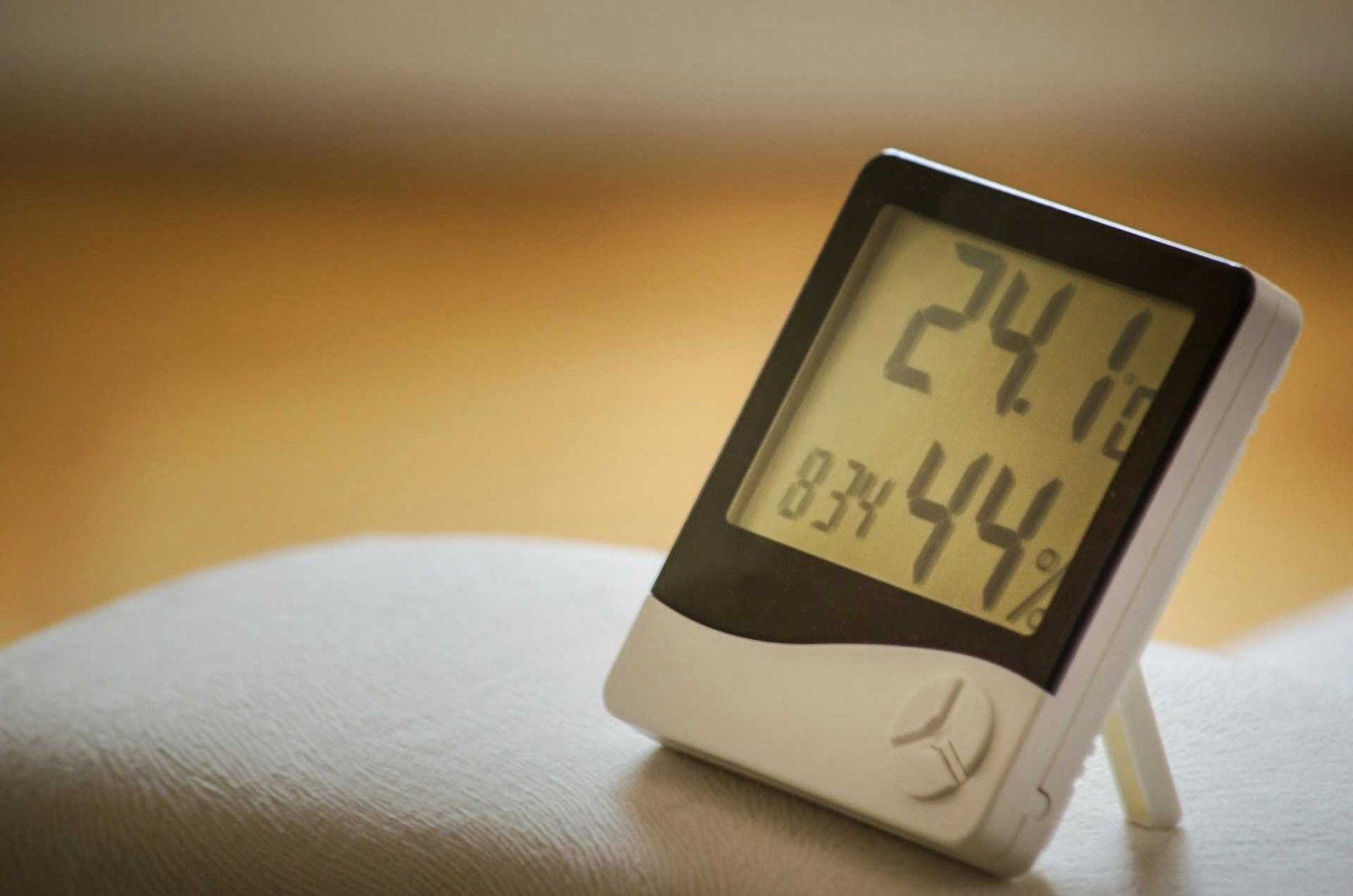
First things first: you can’t fix what you can’t measure. Hygrometers (fancy word for humidity meters) have become surprisingly affordable and accurate. These little devices give you real-time readings of your workspace’s humidity levels, taking the guesswork out of the equation. Many modern versions come with digital displays and even connect to apps, letting you track patterns over time.
Place them in different areas of your office space. Humidity can vary significantly from room to room, especially in larger buildings. That corner office might feel like a tropical paradise while the interior conference room resembles the Atacama Desert.
Humidifiers: Your Dry Air Defense
When levels dip below that ideal 40% threshold, humidifiers become your best friend. These devices add moisture back into the air, restoring balance and comfort. The market offers everything from small desktop models perfect for individual workspaces to whole-room units that can handle larger areas.
Cool mist humidifiers work well for office environments because they don’t pose burn risks and tend to be quieter during operation. Look for models with adjustable output controls and automatic shut-off features. Some even include hygrometers built right in, adjusting their output to maintain your target humidity level automatically.
Proper lighting conditions combined with comfortable humidity create a workspace that feels inviting rather than draining. Both elements work together to reduce eye strain and maintain alertness throughout the day.
Dehumidifiers: Taming Excess Moisture
For spaces battling too much humidity, dehumidifiers extract excess moisture from the air. These are particularly valuable in climates with naturally high humidity or in buildings with poor ventilation. Like their humidifying cousins, they come in various sizes to match your needs.
Modern dehumidifiers often include programmable settings, letting you set your desired humidity level and allowing the unit to maintain it automatically. The collected water typically drains into a reservoir that needs regular emptying, though some models can be set up for continuous drainage.
When Humidity Goes Rogue: Signs Your Office Needs Help
Sometimes humidity problems announce themselves like an elephant in the room, other times they’re more subtle. Here’s what to watch for:
The Dry Side Blues: If everyone’s constantly applying lip balm, there’s a static electricity epidemic every time someone touches a doorknob, or the office sounds like a symphony of throat-clearing, you’re probably dealing with low humidity. Wooden furniture might start showing cracks, and that expensive hardwood floor could begin to gap at the seams.
The Moisture Monster: On the opposite end, high humidity makes its presence known through condensation on windows, a persistent musty smell that no amount of air freshener can mask, and that clammy feeling that makes you wonder if the AC is even working. You might notice wallpaper starting to peel or dark spots appearing in corners, classic signs that moisture levels have gotten out of hand.

Your tech equipment isn’t immune to humidity issues either. Computers and electronics perform best in that same 40-60% range. Too dry, and you risk static discharge damaging sensitive components. Too humid, and internal condensation becomes a real threat. If you’re running multiple devices or have USB hubs and charging stations powering your setup, keeping humidity in check helps protect your entire tech ecosystem.
The Productivity Connection You Can’t Ignore
Here’s where humidity stops being just about comfort and starts affecting the bottom line. Research consistently shows that environmental factors directly impact cognitive performance and productivity. When humidity falls outside the ideal range, workers experience decreased focus, slower reaction times, and increased fatigue.
Dry air particularly affects concentration. As your body works harder to maintain moisture in your eyes and respiratory system, mental resources get diverted from the task at hand. That report that should take an hour suddenly stretches to two, not because the work got harder, but because your environment is literally draining your energy.
High humidity creates its own productivity problems. The feeling of stuffiness and discomfort distracts from work, while the body’s inability to cool efficiently leads to drowsiness. Ever had one of those afternoons where keeping your eyes open feels like an Olympic sport? Humidity might be the culprit.
Creating a workspace that supports focus means considering multiple factors. Whether someone’s experimenting with standing desk usage or exploring whether ambient sound helps concentration, humidity remains a foundational element that either supports or undermines these other optimization efforts.
Health Implications
The ideal humidity for workplace environments isn’t just about feeling good, it’s about staying healthy. Respiratory viruses, including common cold and flu viruses, survive and transmit more readily in air that’s either too dry (below 40%) or too humid (above 60%). That sweet spot in between? It’s like kryptonite for many airborne pathogens.
Dry air irritates mucous membranes, compromising your body’s first line of defense against infections. When your nose and throat are constantly dried out, you’re essentially rolling out the welcome mat for every germ that comes along. Companies that maintain proper humidity often see fewer sick days during cold and flu season.
Conversely, high humidity encourages the growth of mold, dust mites, and bacteria. These allergens can trigger respiratory issues, allergic reactions, and even contribute to chronic conditions. That persistent cough going around the office might have less to do with contagion and more to do with environmental conditions.
Skin health takes a hit too. Chronic exposure to low humidity can lead to eczema flare-ups, premature aging, and general discomfort. While we often think of these as cosmetic concerns, uncomfortable skin affects mood and self-confidence, which inevitably impacts work performance.
Making Humidity Work with Other Environmental Factors
The ideal office humidity doesn’t exist in isolation. It interacts with temperature, air quality, lighting, and ventilation to create the overall environmental experience. Managing these elements as an integrated system rather than separate concerns leads to better results.
Temperature and humidity share an especially close relationship. The same humidity level can feel dramatically different at different temperatures. At 72°F, 50% humidity feels comfortable. At 78°F, that same 50% humidity starts feeling stuffy. This is why the best environmental control strategies address both factors simultaneously.

Air circulation affects how humidity feels and how evenly it distributes throughout a space. Stagnant air can create pockets of high or low humidity even when your overall readings look good. Ceiling fans, desk fans, or improved HVAC airflow can help create more uniform conditions.
Lighting choices influence perceived comfort as well. Warm lighting tends to create a cozier feeling that can make slightly higher humidity feel more acceptable, while cooler lighting pairs well with crisper air. Neither approach is wrong, it’s about finding the combination that works for your specific space and preferences.
FAQ
What is the ideal humidity level for an office?
The ideal humidity for workplace environments falls between 40% and 60% relative humidity. This range provides optimal comfort while minimizing health risks and protecting equipment. Most people find 45-50% to be the sweet spot where air feels neither too dry nor too damp. Seasonal adjustments might push you toward the higher end in winter and lower end in summer.
How do I know if my office humidity is too low?
Several telltale signs indicate low humidity: frequent static electricity shocks, persistent dry throat or nose, increased respiratory issues among staff, cracking wooden furniture, and gaps appearing in hardwood floors. If multiple people are constantly applying lip balm or eye drops, or if cold and flu seem to spread more easily than usual, your humidity has likely dropped below ideal levels.
Can high humidity affect work performance?
Absolutely. When humidity exceeds 60%, most people experience decreased comfort and concentration. The air feels heavy and stuffy, making it harder to focus. Your body struggles to cool itself effectively, leading to fatigue and sluggishness. High humidity also creates conditions where mold and bacteria thrive, potentially affecting respiratory health and increasing absences.
What’s the best way to increase office humidity?
Humidifiers provide the most reliable solution for raising humidity levels. Choose a size appropriate for your space, small desktop units for individual areas or larger room humidifiers for open offices. Natural methods like adding plants can help marginally, but they’re not sufficient as a sole solution. Regular monitoring ensures your humidifier maintains levels in the ideal range without overshooting.
Does air conditioning affect office humidity?
Air conditioning removes moisture from the air as it cools, which can be beneficial in humid climates but problematic in dry ones. In already dry environments, AC can push humidity too low, requiring supplemental humidification. In humid climates, AC helps maintain comfortable levels. The key is monitoring actual humidity levels rather than assuming your AC is handling it appropriately.
How often should I check humidity levels in my workspace?
During initial setup or when making changes, daily monitoring helps establish patterns and ensure your control measures are working. Once you’ve achieved stable conditions, weekly checks are usually sufficient unless you notice comfort issues. Automated hygrometers with alerts eliminate the need for manual checking while ensuring you’re immediately notified of any problems.
Conclusion: Breathing Easy in Your Workspace
Creating the ideal humidity in working environment might not be as flashy as installing a coffee bar or painting an accent wall, but your body will thank you every single day. That zone between 40% and 60% relative humidity isn’t just a suggestion from overly particular environmental scientists, it’s where comfort, health, and productivity converge in a beautiful symphony of workplace harmony.
The truth is, most of us have been unknowingly suffering through humidity disasters for years, blaming our discomfort on everything except the actual culprit. Once you start paying attention to moisture levels and making adjustments, you’ll wonder how you ever worked in those previous conditions. It’s like discovering you’ve been eating pizza without cheese this whole time, technically still pizza, but why would you do that to yourself?
Whether you’re outfitting a home office or managing a larger workspace, the investment in proper humidity control pays dividends through fewer sick days, better focus, and people who actually want to spend time in the space. Add a hygrometer to your cart, consider what control devices make sense for your situation, and start creating an environment that feels as good as it looks.
Looking for more? Check out our productivity tools category for more articles and guides that may interest you!
Featured image credit: Photo by Kaffeebart on Unsplash
This content is for informational purposes only. Please verify current information directly on the retailer’s site before purchasing.
References:
Jones ER, Cedeño Laurent JG, Young AS, Coull BA, Spengler JD, Allen JG. Indoor humidity levels and associations with reported symptoms in office buildings. Indoor Air. 2022 Jan;32(1):e12961. https://doi.org/10.1111/ina.12961
Reiteration of Existing OSHA Policy on Indoor Air Quality: Office Temperature/Humidity and Environmental Tobacco Smoke. https://www.osha.gov/laws-regs/standardinterpretations/2003-02-24