Can Condensation Damage Electronics? Prevention and Recovery Guide

We’ve all been there. You bring your laptop in from the cold, and suddenly there’s a fine layer of moisture on the screen. Or maybe you’ve noticed your phone acting weird after leaving it in a steamy bathroom. That little voice in the back of your head starts whispering: “Did I just break my expensive gadget?”
The short answer? Yes, condensation can absolutely damage electronics, sometimes in ways you wouldn’t expect. But before you panic and wrap all your devices in bubble wrap, there’s more to this story than simple water meets circuits equals disaster.
What Happens When Moisture Meets Your Electronics
Think of your electronic devices like tiny cities with intricate road systems. Now imagine what happens when those roads get flooded. That’s essentially what moisture does to the delicate pathways inside your gadgets.
When water vapor in the air cools down on a cold surface (like your phone’s circuit board), it transforms into liquid droplets. This process is what we call condensation, and it’s the same reason your bathroom mirror fogs up after a hot shower. The problem starts when these tiny water droplets settle on components that were never meant to get wet.
Water is actually a decent conductor of electricity, which sounds counterintuitive since we’re always told to keep electronics away from it. The issue is that water conducts electricity in places where it shouldn’t. When moisture creates unintended electrical pathways between components, you get what’s called a short circuit. Suddenly, electricity is flowing where it has no business being, and components that should be isolated are now chatting with each other in ways that can fry sensitive parts.
Beyond the immediate threat of short circuits, moisture damage electronics in sneakier, longer-term ways. Water that contains minerals and impurities can leave behind residue when it evaporates. This residue acts like a magnet for more moisture and can create persistent electrical pathways that weren’t part of the original design. Over time, this leads to corrosion, where the metal components literally start breaking down and deteriorating.
The Humidity Factor
You don’t need visible water droplets to have a problem. High humidity alone can wreak havoc on your electronics, even without obvious condensation forming.
Does high humidity damage electronics? Absolutely. When the air around your devices holds too much moisture, that water vapor can seep into the tiniest crevices and openings. Modern electronics aren’t sealed fortresses; they have vents, ports, and microscopic gaps that allow air circulation. Unfortunately, humid air brings moisture along for the ride.
The sweet spot for electronics is typically between 30% and 50% relative humidity. Go above 60%, and you’re entering the danger zone where condensation becomes more likely and corrosion accelerates. Drop below 30%, and you introduce a different problem: static electricity buildup. Getting the balance right matters more than most people realize, particularly in spaces where you’re running sensitive equipment or storing valuable devices.
Temperature Swings Are the Real Troublemakers
Moving your electronics between different temperature zones is where condensation really loves to make an appearance. Bring a cold device into a warm room, and the surface temperature of that device is still cold while the surrounding air is warm and potentially humid. Boom, instant condensation.

This is why your laptop might develop moisture when you bring it inside from your car on a winter day, or why your camera lens fogs up when you step into a warm building after shooting photos in freezing weather. The temperature differential creates the perfect storm for water vapor to condense on and inside your devices.
Related article: Does Cold Weather Affect Electronics?
The worst part? This moisture can form on internal components you can’t even see. Your device might look perfectly dry on the outside while water droplets are forming on the circuit board inside. This is particularly problematic for devices with metal casings that conduct temperature changes quickly, creating cold spots where condensation loves to gather.
Which Devices Are Most Vulnerable
Not all electronics face the same moisture risks. Some devices are practically begging for humidity-related problems, while others are surprisingly resilient.
High-Risk Devices
| Device Type | Why It’s Vulnerable |
|---|---|
| Laptops and Computers | Multiple vents, fans that pull in humid air, and lots of surface area for condensation |
| Gaming Consoles | Generate heat that attracts moisture, often placed near floors where humidity is higher |
| External Hard Drives | Mechanical parts extremely sensitive to moisture, data loss risk |
| Smart Home Devices | Often placed in humid areas like bathrooms or kitchens |
| Camera Equipment | Lenses fog internally, sensors can develop moisture spots |
Devices with moving parts or mechanical components face additional challenges. Traditional hard drives, for instance, have read/write heads that fly incredibly close to spinning platters. Even microscopic moisture can cause these heads to crash into the platter surface, resulting in catastrophic data loss. This is one reason why solid-state drives have become popular alternatives, as they have no moving parts to worry about.
Signs Your Electronics Have Moisture Damage
Sometimes moisture damage announces itself loudly with a device that won’t turn on. Other times, it’s more subtle, manifesting as strange behaviors that make you question whether your gadget is haunted.
Watch for devices that randomly restart or freeze during use. This often indicates moisture creating intermittent short circuits that disrupt normal operation. You might also notice reduced performance, where your device struggles with tasks it used to handle easily. Corrosion caused by moisture can increase electrical resistance in circuits, making everything work harder and slower.
Visual indicators include foggy screens or camera lenses that won’t clear up, sticky buttons or keys, ports that look discolored or corroded, and that telltale musty smell that sometimes develops in humid electronics. If your device feels unusually warm during normal use, moisture might be causing electrical resistance that generates excess heat.

Connection issues are another red flag. USB devices that keep disconnecting or charging ports that work intermittently often have moisture-related corrosion on the contacts. Those tiny metal pins and connectors are particularly susceptible to humidity damage because they’re exposed to air and handle electrical current.
How to Protect Your Electronics From Moisture
Prevention beats repair every single time when it comes to moisture damage. The good news is that protecting your electronics doesn’t require turning your home into a climate-controlled vault.
Control Your Environment
Start by monitoring humidity levels in rooms where you keep valuable electronics. Small digital hygrometers are inexpensive and give you real-time feedback on whether your environment is in that safe 30-50% humidity range. If you’re consistently above 60%, consider investing in a dehumidifier for the space.
Air circulation helps prevent moisture from settling on devices. Don’t stuff electronics into enclosed spaces without ventilation, and avoid placing them directly against walls where air can’t circulate around them. Those USB-powered desk fans can actually serve double duty by keeping air moving around your workspace electronics.
Temperature Transition Strategies
When bringing cold electronics into warm spaces, patience is your friend. Leave devices in their bags or cases and let them gradually warm up to room temperature before powering them on. This slow transition reduces the temperature differential that causes condensation. As a general rule, wait at least 30 minutes for small devices and up to two hours for larger equipment.
If you must use a device immediately after bringing it in from the cold, at least keep it powered off while it acclimates. Running electricity through components while they’re developing condensation is asking for trouble.
Storage Solutions That Work
Where and how you store electronics during periods of non-use matters tremendously. Avoid basements and attics where humidity swings wildly with the seasons. If you must store devices in these areas, use airtight containers with silica gel packets or other desiccants to absorb moisture.
For electronics you use regularly but worry about humidity exposure, consider storage solutions with active moisture control. Small cabinet dehumidifiers or moisture-absorbing containers work well for camera equipment, hard drives, and other sensitive gear.
Keep charging stations and power hubs in well-ventilated areas. These devices generate heat during operation, and combining heat with humidity creates an accelerated corrosion environment. If you’re using powered USB hubs or charging stations, make sure they’re not trapped in enclosed spaces where moisture can accumulate.
What to Do When Moisture Gets Inside
Despite your best efforts, sometimes moisture finds its way into your electronics. How you respond in those first critical hours can mean the difference between a fully recovered device and an expensive paperweight.
First rule: power off immediately. Don’t try to save your work, don’t check if it’s still functioning, just shut it down. If it’s plugged in, unplug it. Remove the battery if possible. Every second electricity flows through wet components increases the chance of permanent damage.
Next, remove any removable components. Take out SD cards, USB drive, SIM cards, and anything else that can be separated from the main device. Open any covers or ports that can be opened to improve air circulation and moisture escape.
Now comes the waiting game. Place the device in a warm, dry location with good air circulation. Resist the temptation to use a hair dryer or place it in direct sunlight, as rapid heating can cause other problems and might push moisture deeper into the device. Room temperature air circulation works best, even if it takes longer.
Silica gel packets, if you have enough of them, can accelerate drying. Place the device in a sealed container with several packets surrounding it. Rice is a popular home remedy, but it’s actually less effective than silica gel and can leave dust and debris in ports and openings.
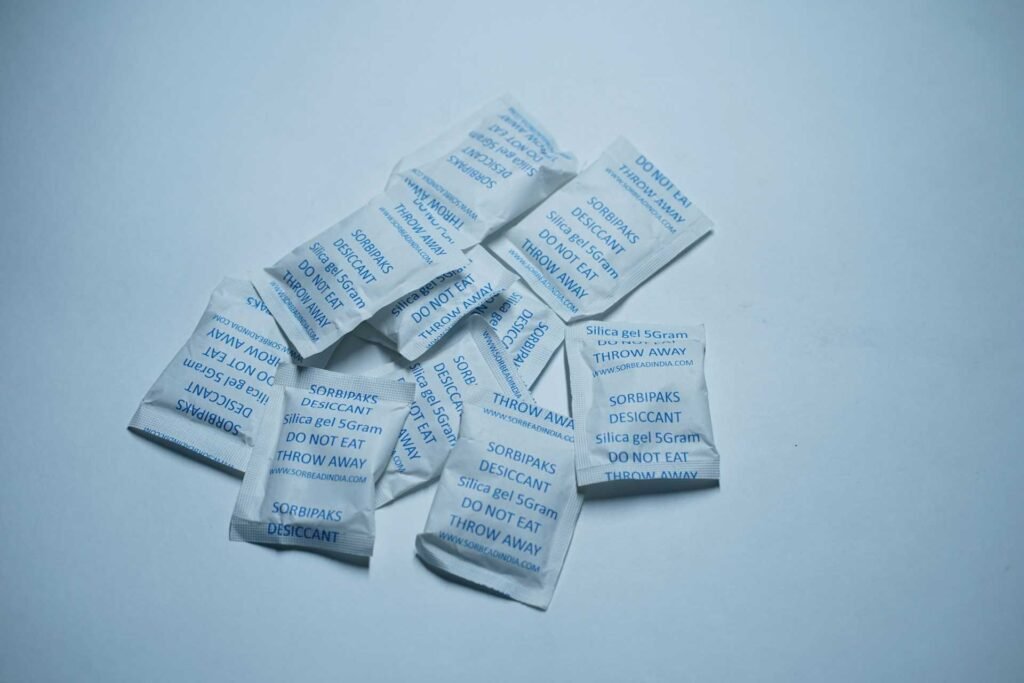
Give it time. A minimum of 48 hours is recommended, and 72 hours is even better for devices that got seriously wet. For expensive or critical devices, consider professional data recovery or repair services rather than risking powering on too soon.
Common Myths About Electronics and Moisture
The internet is full of advice about protecting electronics from water and humidity, but not all of it holds up to scrutiny. Let’s clear up some misconceptions.
Myth: Putting wet electronics in rice fixes everything. While rice does absorb moisture, it’s nowhere near as effective as silica gel or professional desiccants. Worse, rice dust can get into ports and openings, creating new problems. Rice became popular because it’s accessible, not because it’s optimal.
Myth: If it turns on after getting wet, it’s fine. Moisture damage can be progressive. A device might work initially but develop corrosion over the following days or weeks that leads to failure. Just because something powers on doesn’t mean the moisture didn’t cause internal damage that will manifest later.
Myth: Only liquid water damages electronics. As we’ve covered, humidity alone can cause problems over time. You don’t need to spill coffee on your laptop for moisture to be an issue. Extended exposure to high humidity environments does cumulative damage even without visible condensation.
Myth: Waterproof means moisture-proof. Water resistance ratings protect against liquid water intrusion, but they don’t necessarily prevent moisture vapor from entering devices over time, especially as seals age and degrade. Your water-resistant phone isn’t immune to humidity problems.
Long-Term Moisture Exposure Effects
Even if your electronics never experience dramatic condensation events, chronic exposure to less-than-ideal humidity levels takes its toll. This is the silent damage that shortens device lifespans and leads to mysterious failures.
Corrosion happens gradually when moisture and oxygen attack metal components. You might not see the rust forming on internal circuit boards, but it’s happening. Solder joints can weaken, connector pins can develop resistance, and traces on circuit boards can literally dissolve over months or years of humidity exposure.
Keyboards and mice are particularly vulnerable to long-term humidity issues. Those membrane switches and mechanical contacts can become sticky or unresponsive as moisture allows contaminants to build up. If you’ve ever had keys that stick or feel mushy, humidity might be the culprit.
Display issues can also develop over time. LCD panels can develop spots or haziness where moisture has infiltrated between layers. OLED screens might show uneven brightness or color shifts. These problems rarely appear overnight but gradually worsen with extended humidity exposure.
FAQ
How long does it take for condensation to damage electronics?
Damage can happen instantly if condensation causes a short circuit while the device is powered on. However, if the device is off, you typically have several hours before corrosion starts causing permanent damage. The key is whether electricity is flowing through wet components.
Can humidity damage electronics that are turned off?
Yes, but much more slowly. Powered-off devices won’t short circuit, but humidity can still cause corrosion over time. Long-term storage in high humidity environments will eventually damage electronics even if they’re never turned on.
What humidity level is safe for electronics?
The ideal range is 30-50% relative humidity. You can safely operate most electronics between 20-60%, but staying in that middle range minimizes both condensation risk and static electricity buildup.
Does putting electronics in the refrigerator cause condensation?
Absolutely. This is one of the worst things you can do. When you remove a cold device from the refrigerator into warm, humid air, condensation forms immediately and aggressively. There’s no legitimate reason to refrigerate electronics.
Can moisture damage be repaired?
Sometimes. If caught early and the device is properly dried, you might avoid permanent damage. However, corrosion that has already occurred usually can’t be reversed. Professional repair services can sometimes clean affected components and replace damaged parts, but success isn’t guaranteed.
Are newer electronics better protected against moisture?
Many modern devices include better sealing and water-resistant designs, but they’re not invincible. While high-end smartphones might survive brief water exposure, they’re still vulnerable to long-term humidity exposure and condensation from temperature changes.
Conclusion
So, can condensation damage electronics? Without question, yes. But now you know it’s not just about dramatic spills or dunking your phone in the sink. The real enemy is often invisible: humidity creeping into devices over time, condensation forming during temperature changes, and moisture gradually corroding the components that make our digital lives possible.
The good news is that protecting your electronics doesn’t require paranoia or expensive equipment. Keep humidity in check, give cold devices time to warm up before using them, store things properly, and act quickly if moisture does get inside. These simple habits can add years to your devices’ lifespans and save you from the heartbreak of losing important data or expensive hardware.
Think of moisture management as basic device hygiene, like keeping your workspace clean or replacing worn-out equipment before it fails completely. Your future self, staring at a fully functional laptop instead of a fried motherboard, will thank you for taking these precautions seriously. And hey, at least now when someone asks if you can bring your laptop outside in humid weather, you’ll have a scientifically sound excuse for staying in the air conditioning.
Looking for more? Check out our tech utilities category for more articles and guides that may interest you!
Featured image credit: Photo by Julia Filirovska on Pexels
This content is for informational purposes only. Please verify current information directly on the retailer’s site before purchasing.
References:
İlknur Baylakoğlu, Aleksandra Fortier, San Kyeong, Rajan Ambat, Helene Conseil-Gudla, Michael H. Azarian, Michael G. Pecht, The detrimental effects of water on electronic devices, e-Prime – Advances in Electrical Engineering, Electronics and Energy, Volume 1, 2021, 100016, ISSN 2772-6711. https://doi.org/10.1016/j.prime.2021.100016