How to Keep Your Hands Warm While Working at a Computer

You’re three hours into a work session, absolutely crushing your tasks, when suddenly you realize your fingers have transformed into frozen fish sticks. You can barely feel the keys anymore, and typing feels like playing piano with icicles. Sound familiar?
Cold hands when working on a computer is one of those workplace annoyances that nobody warns you about until you’re already experiencing it. Whether you’re working from home in your pajamas or sitting in an actual office, that creeping chill in your fingertips can turn a productive day into a shivering ordeal. The weird part? The rest of your body might feel perfectly fine while your hands are auditioning for a role in Frozen.
Let’s figure out why this happens and, more importantly, what you can actually do about it without turning your workspace into a sauna.
Why Your Fingers Freeze
Your hands get cold at your desk for surprisingly practical reasons, and understanding them means you can actually fix the problem instead of just suffering through it.
When you’re sitting still and typing, your body isn’t exactly working hard. Your heart doesn’t need to pump blood aggressively to your extremities because you’re not running a marathon or lifting heavy objects. Your fingers are just tapping away, doing minimal physical work. Meanwhile, your body prioritizes keeping your core organs warm, which means your hands and feet often get the short end of the circulation stick.
Add to this the fact that your hands are usually elevated when typing, and gravity isn’t doing you any favors either. Blood flow naturally decreases when your hands are raised, especially if you’re holding them in awkward positions for extended periods. Poor posture can compress blood vessels, making the circulation problem even worse.
Temperature also plays a sneaky role. Most offices keep things cool (around 68-72°F) to keep people alert and prevent drowsiness. That’s great for staying awake, but not so great for your extremities. Home offices can be even trickier since we tend to save on heating bills by keeping thermostats lower during the day.
Then there’s the keyboard itself. Those metal or plastic surfaces don’t exactly radiate warmth. Some mechanical keyboards can even feel slightly cool to the touch, especially if they’re sitting near a window or in a naturally cooler part of your desk setup.
When Cold Hands Mean Something More
Most of the time, cold hands at work are just annoying. But occasionally, they signal something worth paying attention to. Conditions like Raynaud’s syndrome cause blood vessels in your fingers to narrow excessively in response to cold or stress, turning them white or blue. If your fingers change color dramatically or feel numb beyond normal chilliness, that’s worth mentioning to a healthcare professional.
Poor circulation from other health conditions, vitamin deficiencies, or thyroid issues can also manifest as persistently cold extremities. We’re not trying to turn this into a medical drama, but if your hands are constantly freezing regardless of what you try, getting them checked out makes sense.
Quick Fixes That Actually Work
Now for the good stuff: practical solutions that don’t involve wrapping yourself in a sleeping bag at your desk.
The Power of Movement
Getting your blood flowing is the fastest way to warm hands quickly. Every 30-45 minutes, take a break and do something physical. Walk to the kitchen, do a few arm circles, shake your hands vigorously like you’re trying to dry them without a towel. Even just standing up and doing a quick stretch routine can make a massive difference.

We’re not suggesting you do jumping jacks between emails (though if that’s your thing, go for it). Simple movements work. Clench and release your fists ten times. Rotate your wrists. Tap your fingers on your desk in a wave pattern. These tiny exercises push blood back into your fingers without disrupting your workflow.
Strategic Warming Methods
Keep a mug of hot tea or coffee nearby. Not just for drinking, but for periodically wrapping your hands around the warm ceramic. It’s like a portable hand warmer that also happens to contain caffeine. Win-win.
Running your hands under warm water for a minute or two works wonders when you need quick relief. Just don’t use hot water, which can actually be uncomfortable and doesn’t warm you up any faster than pleasantly warm water does.
Some people swear by the “armpit method” where you tuck your hands under your arms for a minute. Looks ridiculous, works surprisingly well. Your armpits are one of the warmest parts of your body, and this technique has saved many a frozen typist during deadline crunches.
Gear That Makes a Difference
Fingerless gloves are the obvious solution, and they genuinely work for cold hands working from home. Look for ones made from wool, fleece, or thermal materials. The key is finding gloves thin enough that you can still type normally but warm enough to actually insulate your hands. Some versions have convertible mittens that flip over your fingertips when you’re not actively typing.
A small desk heater positioned near your hands (but not so close that it becomes a fire hazard) can create a warm microclimate around your workspace. Just be mindful of where you place it so you’re not blasting heat directly at electronics or papers.
Heated mouse pads and keyboard wrist rests exist, and they’re not just gimmicks. These USB-powered accessories provide gentle warmth exactly where your hands rest, preventing them from getting cold in the first place rather than trying to warm them up after the fact.
Wrist warmers or arm warmers that extend from your wrists to your elbows help keep the blood flowing to your hands warmer before it even gets there. Think of them as thermal insulation for your circulatory system.
Creating a Warmer Workspace Environment
Sometimes the solution isn’t about your hands specifically but about fixing your overall environment to prevent the problem.
Room temperature matters more than most people realize. While you might not control the office thermostat, at home you can experiment with keeping your workspace slightly warmer. Even a difference of 2-3 degrees can significantly impact hand temperature.
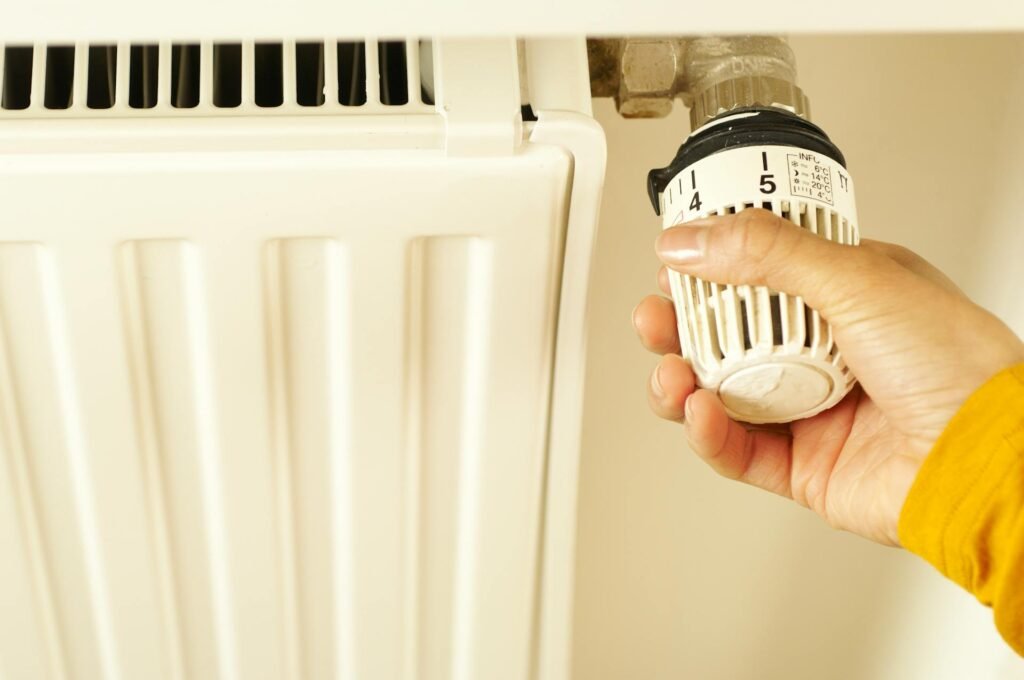
Check for drafts around windows and doors. Cold air sneaking in creates localized cold spots that affect your hands even when the overall room feels fine. Weather stripping and draft stoppers are cheap fixes that make a real difference.
Your desk position relative to heating vents, windows, and air conditioning units affects your personal temperature zone. If possible, position your desk away from cold exterior walls and where warm air can reach you. Sitting directly under an AC vent in summer or near a drafty window in winter is basically volunteering for cold hands.
Humidity also plays a role in how cold you feel. Dry air makes you feel colder at the same temperature compared to humid air. A small desktop humidifier can help, and it has the bonus benefit of preventing dry skin and static electricity.
Adjusting Your Work Setup
Your typing ergonomics affect circulation more than you’d think. If your wrists are bent at sharp angles while typing, you’re compressing blood vessels and nerves. Adjust your chair height and keyboard position so your wrists stay relatively straight and neutral.
Consider whether a standing desk setup works for you. Standing promotes better circulation overall, though you’ll want to alternate between sitting and standing rather than committing to one position all day. Some people find their hands stay warmer when they’re standing because gravity helps blood flow down to their extremities.
Your mouse choice might seem unrelated, but ergonomic options like vertical or trackball mice can reduce strain and improve hand positioning, potentially helping with circulation. Plus, less strain means you’re more likely to take proper breaks instead of pushing through discomfort.
What to Wear (Without Looking Like You’re Camping Indoors)
Layering is your friend. Instead of one thick sweater, wear multiple thinner layers. This traps warm air between layers and gives you flexibility to adjust throughout the day as your body temperature fluctuates.
Focus on your core temperature. When your torso is warm, your body doesn’t feel the need to pull blood away from your extremities as aggressively. A vest or warm undershirt can make a surprising difference to your hand temperature.
Warm socks matter more than you’d expect. When your feet are cold, your whole body compensates, including pulling warmth from your hands. Thick wool socks or even heated insoles can indirectly help your hand temperature.
Don’t overlook your neck. A light scarf or high-collar shirt keeps warm blood flowing to your head, and your body interprets this as “we’re warm enough” rather than going into conservation mode.
Lifestyle Tweaks That Help
What you eat and drink affects your circulation. Staying hydrated helps your blood flow more easily. Dehydration makes your blood slightly thicker, which doesn’t circulate as efficiently to your extremities.

Certain foods can help with circulation. Ginger, cayenne pepper, and cinnamon are known to improve blood flow. Having a cup of ginger tea or adding these spices to your meals might provide a subtle boost. We’re not saying one cup of cinnamon coffee will cure your cold hands, but over time, these small additions can help.
Reducing caffeine and nicotine makes a difference for some people since both can constrict blood vessels. If you’re chugging six espressos a day and wondering why your hands are freezing, there might be a connection worth exploring.
Regular exercise outside of work hours improves your overall circulation. People who exercise regularly tend to have better blood flow to their extremities even when sitting still. You don’t need to become a gym rat, just consistent movement helps.
Comparing Different Warming Solutions
| Solution | Speed | Duration | Practicality |
|---|---|---|---|
| Hand exercises | Instant | 15-20 min | High – can do anywhere |
| Warm beverage | 2-3 minutes | 30-45 min | High – bonus hydration |
| Fingerless gloves | Immediate | Hours | High – wear while working |
| Heated mouse pad | 5 minutes | Continuous | Medium – needs USB port |
| Desk heater | 3-5 minutes | Continuous | Medium – takes desk space |
| Armpit warming | Instant | 10-15 min | Medium – looks weird on video calls |
| Running warm water | 1 minute | 15-20 min | Medium – leaves desk |
The best approach usually combines several methods. Wear fingerless gloves as your baseline, keep a warm drink handy, and take regular movement breaks. Add a heated pad or small heater if your workspace allows it, and you’ve got a comprehensive system that keeps your hands functional all day.
Common Mistakes People Make
Trying to power through and ignore the cold rarely works. Your typing speed decreases, you make more mistakes, and you’re generally miserable. It’s not a badge of honor to tough it out with frozen fingers.
Over-warming creates its own problems. If you crank the heat so high that you’re sweating, you’ll probably get drowsy and uncomfortable in different ways. The goal is comfortably warm hands, not a tropical vacation.
Ignoring the rest of your body while focusing solely on hand warmth doesn’t work well. If your feet are freezing and your core is cold, warming just your hands is fighting a losing battle. Think of your body’s temperature as an interconnected system.
Relying only on external heat sources without addressing circulation issues means you’re treating symptoms rather than causes. A heating pad is great, but if you’re sitting in terrible posture for eight hours straight, you’re still going to struggle.
Frequently Asked Questions
Why do my hands get cold when working from home but not at the office?
Office buildings typically have more consistent heating and better insulation than most homes. Plus, offices often keep temperatures slightly warmer to accommodate more people. At home, you’re probably trying to save on heating costs, and your workspace might be in a naturally cooler part of the house. Home office setups also tend to have more drafts from windows and doors that don’t seal as well as commercial building standards require.
Will fingerless gloves actually let me type normally?
Yes, as long as you choose the right kind. Look for thin, fitted gloves rather than bulky ones. Materials like merino wool or specialized synthetic fabrics work better than chunky knits. Your fingers need full range of motion and tactile feedback to type effectively, so test the gloves with actual typing before committing to wearing them all day. Some people need a day or two to adjust, but most find they type normally once they get used to the feeling.
How warm should I keep my workspace?
Most people find their hands stay comfortable when the ambient temperature is between 70-74°F. This is slightly warmer than the typical office temperature of 68-72°F. Everyone’s comfort zone differs, so experiment within that range. Pay attention to whether you feel alert and focused versus drowsy, since temperature affects productivity. If you can’t control the overall room temperature, focus on creating a warm microclimate around your desk.
Can cold hands cause long-term damage?
Occasional cold hands are just uncomfortable, not dangerous. However, chronically cold hands combined with repetitive strain from typing can contribute to cumulative issues over time. Poor circulation can slow healing if you do develop any repetitive strain injuries. If your hands are constantly numb, painful, or changing colors, that’s worth discussing with a healthcare provider. For most people, though, cold hands are annoying but not a serious health concern.
Do those USB-powered heating gadgets actually work?
They do, within reasonable expectations. USB-powered heated mouse pads and wrist rests don’t get hot enough to burn you, but they provide gentle warmth that prevents your hands from getting cold in the first place. They’re most effective as preventive measures rather than trying to warm up already-frozen hands. The main limitation is that USB ports typically provide limited power, so these devices offer mild warmth rather than intense heat. For most people in moderately cool environments, that’s exactly what they need.
Is there a difference between my hands being cold versus actually having poor circulation?
Cold hands from environmental factors usually warm up quickly with the solutions we’ve discussed. Poor circulation tends to be more persistent and often comes with other symptoms like tingling, numbness that doesn’t go away, or color changes in your fingers. If your hands are always cold regardless of room temperature, and they take a very long time to warm up even with active warming methods, that suggests a circulation issue worth investigating. The occasional “my hands are freezing at my desk” situation is normal; hands that never seem to warm up warrant a conversation with a doctor.
Wrapping Up (While Keeping Your Hands Warm)
Nobody should have to choose between being productive and having functional fingers. Cold hands when working on a computer is solvable with the right combination of environmental adjustments, smart gear choices, and habits that promote better circulation.
Start with the free solutions like regular movement breaks and hand exercises. Add fingerless gloves if those don’t cut it. Evaluate your workspace setup for drafts and poor positioning. Layer up strategically. Keep that hot beverage within reach. Before you know it, you’ll forget what it was like to type with frozen fish sticks for hands.
The beautiful thing about solving this problem is that most solutions make your workspace more comfortable overall. Better ergonomics, improved temperature control, and regular movement breaks don’t just warm your hands; they make your entire workday more pleasant and sustainable.
Now get out there and reclaim your warm-handed productivity. Your keyboard will thank you, your typing speed will thank you, and your overall comfort level will definitely thank you.
Looking for more? Check out our work environment category for more articles and guides that may interest you!
Featured image credit: Photo by MedicAlert UK on Unsplash
This content is for informational purposes only. Please verify current information directly on the retailer’s site before purchasing.
References:
Reste J, Zvagule T, Kurjane N, Martinsone Z, Martinsone I, Seile A, Vanadzins I. Wrist Hypothermia Related to Continuous Work with a Computer Mouse: A Digital Infrared Imaging Pilot Study. Int J Environ Res Public Health. 2015 Aug 7;12(8):9265-81. https://doi.org/10.3390/ijerph120809265
Raynaud’s disease. https://www.mayoclinic.org/diseases-conditions/raynauds-disease/symptoms-causes/syc-20363571